DIMMING & COMPATIBILITY
LED lights flickering when dimmed?
Check the lamp, driver and dimmer as a combination. Changing to DALI alone does not guarantee the result.
Read the checks →LIGHTING HELP FOR EUROPEAN PROJECTS
Lights flickering when dimmed? Switching off while people are still there? Planning an upgrade and unsure what can stay? Start with the problem. We can help you identify what to check and discuss a suitable next step for your project.
For electricians · System integrators · Project buyers · Owners
START WITH THE PROBLEM
Practical starting points for European electricians, system integrators and project buyers. Read the first checks, then tell us what is happening on your project.
DIMMING & COMPATIBILITY
Check the lamp, driver and dimmer as a combination. Changing to DALI alone does not guarantee the result.
Read the checks →PRESENCE & ROOM CONTROL
Walking detection is not the same as seated-work coverage. Check the actual occupied area and the control logic.
Read the checks →RETROFIT & PROJECT PLANNING
Some fittings may be retained. Start with the existing driver, wiring and the control functions you actually need.
Read the checks →Still at the planning stage? Compare DALI options, project budgets and control choices →
SOLUTION STORIES / TRY THE SCENES
A car arriving, a guest settling in, a meeting about to start. Explore how a control brief can respond to each moment.
Illustrative solutions prepared for project discussions. These are concept demonstrations, not completed customer installations or measured performance results.
Parking · Illustrative solution
The garage feels unwelcoming on arrival, yet stays unnecessarily bright when no one is passing through.
Explore lighting responses at different moments
Arrival
Entry detection raises the arrival zone and the next agreed route zone; other zones retain their base setting.
Aim for a smoother arrival, with gentler changes in brightness between adjoining zones.
People want to see where to turn, park and walk without abrupt changes in brightness. At quiet times, the property team also wants less unnecessary output, while keeping agreed key routes visibly lit.
Divide the garage into entrance, traffic and parking zones. In this example, detection raises the relevant zone from its base setting, then returns it after an agreed delay. Keep base lighting on key routes in every mode and provide a timed service override. Emergency lighting operates independently.
Confirm sensor coverage, brightness transitions and base-light settings against the actual layout and project requirements on site.
Hotel guestroom · Illustrative solution
One guest wants to read while the other is ready to sleep.
Explore lighting responses at different moments
Welcome
The entrance control brings selected room lights to the welcome setting, with bedside lights available for separate adjustment.
Help guests settle in without having to work out several switches first.
A guest arriving late should not have to test several switches. One person may want to read while another rests, and a night-time trip to the bathroom calls for a different lighting setting.
Group the entrance, bedside and low-level route lighting separately. A small set of labelled scenes can be selected from the entrance and bedside. Welcome brings up selected room lights, reading favours one side of the bed, and night lowers general lighting while illuminating the agreed route.
Review glare, independent bedside operation and night-route lighting in a furnished room; the scenes control only the selected lighting circuits.
Meeting room · Illustrative solution
The lights are right for note-taking until someone starts the presentation.
Explore lighting responses at different moments
Everyday work
Presence detection brings task lighting to the agreed setpoint; perimeter lighting responds to the available daylight.
Aim to make everyday discussion and note-taking comfortable with fewer manual adjustments.
A meeting room has to support conversation, note-taking and screen use without repeated adjustments. The team wants a clear presentation setting, while the building operator wants unattended room lighting to return to an agreed unoccupied state.
Use the MR-01 example to separate screen, table and perimeter lighting. Presence selects the working scene, daylight influences the perimeter, and a wall control recalls presentation. After the agreed vacancy delay, selected lighting groups switch off. These three modes are a demonstration subset; the full example also includes cleaning.
Check detection of people sitting still, screen reflections and return-to-use behaviour on site before agreeing delays and scene priorities.
Read the detailed room-control brief →FOR YOUR EUROPEAN PROJECT TEAM
Whether you are shaping the design, planning the installation or making decisions for the building, start with the part you need to resolve.
Turn the intended lighting experience into room zones, scene descriptions and a control brief your project team can review.
Bring room plans, lighting layouts or your early design intent.
Review drivers, gateway functions and control interfaces, then agree programming, site tests and the handover scope.
Bring equipment models, wiring context and questions from the site.
Define how people should use the lighting and who will approve, install and maintain the system.
Bring the project location, room uses, target dates and priorities.
01 / PROJECT DELIVERABLES
The items below are possible deliverables for an agreed scope. Confirm the files, review stages and responsibilities in the quotation.
Put room behaviour into a document the designer, installer and owner can review together.
Make the connection between luminaires, drivers and controls explicit.
Set out what needs to be checked and which final records the project team expects.
Start with planning support alone, or include product selection. Programming and commissioning support are defined separately in the agreed scope. Tell us what you need ↗
02 / WORKED EXAMPLE
A simple control schedule makes the intended behaviour clear to the designer, installer and people using the room.
KNX wall control + presence input → selected DALI gateway and lighting groups
| Scene | Trigger | Lighting response | To agree |
|---|---|---|---|
| Everyday work | Presence detected | Task lighting follows the agreed setpoint; perimeter lighting responds to daylight. | Sensor coverage and setpoint |
| Presentation | Presentation scene selected | Screen-zone lighting dims while the table retains reading light. | Scene priority and glare |
| Cleaning | Authorised manual selection | Selected lighting groups enter the cleaning scene. | Override and exit behaviour |
| Unoccupied | Agreed vacancy period reached | Relevant lighting groups switch off after the delay. | Timeout and manual override |
Light levels, delays and priorities are defined for the room, users and local project requirements. No fixed energy-saving result is implied.
Zone names, interface questions, site-test prompts and a handover checklist. Read it online or print it for your project discussion.
TXT · Editable · No registration
03 / SPACES
For new-build and retrofit projects, start with how people work, stay and move through the space.
Give work areas, meeting rooms and shared spaces the lighting control they need.
Balance intuitive room controls with the needs of building management.
Organise lighting around focal points and the rhythm of the trading day.
04 / TECHNOLOGY
Develop the control plan alongside equipment selection, so driver, gateway and interface issues surface early.
Coordinate building functions such as lighting, shading and HVAC. Selected actuators, sensors and controllers support room logic, configuration, commissioning and diagnostics.
About KNX ↗Address, group and dim lighting, and recall scenes. DALI-2 certification applies to specific products. Colour control, sensor support and feedback depend on the chosen equipment and gateway.
DALI system overview ↗A selected gateway links KNX and DALI. Tunable white requires compatible DT8 control gear and controllers. BMS requirements, including BACnet interfaces and point mapping, are reviewed separately. Existing luminaires may need changes.
05 / WORKING TOGETHER
Our Guangzhou-based team coordinates the agreed planning work in English. Your local designer, installer and owner contribute the site information and approvals.
For a first enquiry, the location, room type and control objectives are enough. Drawings, equipment schedules and required product documents can follow.
06 / NEXT STEPS
You do not need a finished technical specification to start. Each step leaves the project team with a clearer decision or record.
Tell us your role, location, room uses and control goals. Add plans and equipment models when available.
Work through the room logic, driver types and gateway functions. Record unresolved questions for the relevant team member.
Confirm deliverables, responsible contacts, review dates and any programming or commissioning support in writing.
The local team records the agreed site tests. Final documents, configuration files and open items follow the agreed handover scope.
PROFESSIONAL BACKGROUND
View the original KNX Partner and CHINT energy-management certificates behind the technical conversation.

wison liang · Partner No. 149206
KNX Basic course · 25 July 2026
View original certificate ↗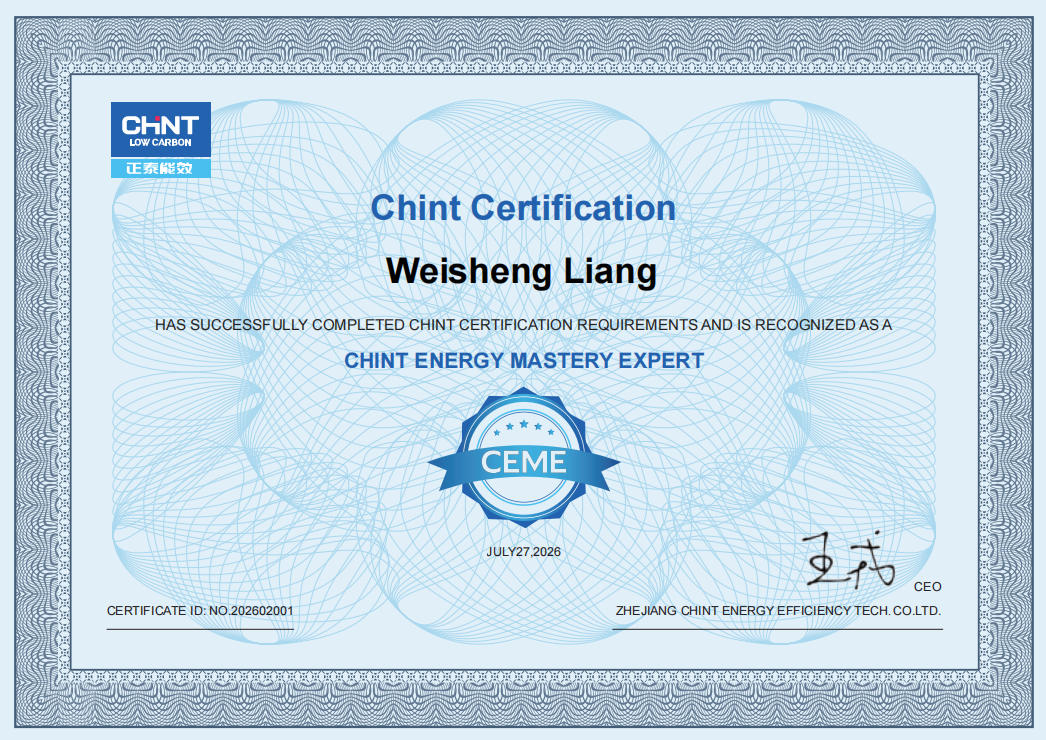
Weisheng Liang · No. 202602001
CHINT certification · 27 July 2026
View original certificate ↗These are individual professional credentials. Product certifications and market requirements are checked against the selected equipment.
PUBLISHED EUROPEAN REFERENCES
Published third-party projects. Our team was not involved in these installations. They illustrate control approaches, not our project record.
HOTEL / LISBON, PORTUGAL
The KNX project record describes a 2019 refurbishment with lighting scenes, timed control and occupancy detection, alongside wider room automation. Room-occupancy information also supports maintenance coordination.
Published by KNX · Project integrator: Domotica Solutions
Read the KNX project record ↗CAR PARK / KENDAL, UNITED KINGDOM
STEINEL describes a 2024 lighting retrofit using sensor-controlled luminaires and Bluetooth Mesh. Neighbouring groups coordinate lighting between parking decks and stairwells as people move through the building.
Published by STEINEL · Bluetooth Mesh lighting retrofit
Read the manufacturer’s case study ↗PRACTICAL ANSWERS
General guidance with references you can check. Equipment, site conditions and the agreed scope determine the solution.
Start with the required light and control behaviour, then compare the complete luminaire-and-driver package. Check the ceiling cut-out, available depth, beam angle, colour temperature, light output and whether you need dimming or tunable white. Ask for the exact driver model and its dimming range; a DALI label alone does not describe the whole package. Where DALI-2 certification is claimed, verify the relevant component in the DALI Alliance database. Send the quantities and control requirements so the options can be compared on the same basis.
Check DALI components in the product database ↗
Discuss this question for your project →DALI is a control protocol, not a guarantee of flicker-free lighting. The result depends on the LED module, driver, dimming method and operating conditions. Before changing the system, identify the lamp, driver and dimmer, check their specified operating limits and test the proposed combination at the lowest brightness you intend to use. A different protocol may offer useful control functions, but the equipment still needs to match. Send the model numbers and describe when the problem occurs.
DALI Alliance: dimming and control features ↗
Discuss this question for your project →Check whether the sensor can detect the activity in the occupied area, not just someone walking into the room. Detection coverage for seated work can differ from the advertised movement range. Sensor position, mounting height, furniture and the switch-off delay also matter. For a meeting room or desk area, choose a device with documented presence coverage and test it during normal seated use. Review the control logic and retain a practical manual override. Send a room sketch, ceiling height, sensor model and a description of when the lights go out.
STEINEL: presence and movement coverage examples (PDF) ↗
Discuss this question for your project →KNX and DALI can work together, so the decision is not always one or the other. DALI focuses on lighting control; KNX can connect lighting with other building functions through suitable devices. A compatible KNX–DALI gateway links the systems. A lighting-only project may use a suitable standalone DALI controller. Define the room functions, wall controls and commissioning responsibilities before choosing the architecture. Share the room list, required scenes and other building systems to clarify which interfaces are needed.
KNX: a DALI gateway example and its supported functions ↗
Discuss this question for your project →Sometimes, but the existing equipment must be checked before a retrofit route is chosen. Record the luminaire and driver models, control wiring, access above the ceiling and the functions you want to add. Existing equipment may be reusable; other fittings may need a compatible driver or replacement. Wireless control can help where new control cabling is difficult, but it does not make every lamp compatible. Verify a proposed combination in a representative area before extending it. Send equipment photos and a marked-up plan for an initial discussion.
DALI Alliance: wireless gateway options ↗
Discuss this question for your project →Start with the required controls, then price the equipment and work together. List luminaires, drivers, rooms, sensors, wall controls, gateways, commissioning and handover. Count DALI addresses as well as fittings: a device can use more than one address. One DALI bus supports up to 64 control-gear addresses; that is not a promise that every 64-luminaire project needs only one line. The controller and layout determine the design. Send your lighting schedule, priorities, project country and target date to identify the main cost decisions.
DALI Alliance: Quick Start Guide ↗
Discuss this question for your project →TELL US WHAT IS HAPPENING
Start with your email and a short description. We can identify what needs checking and what project information is useful next. Photos, drawings and equipment models can follow by email.

WeChat: 15902070673